For English teachers · CEFR A1–C2
Bring your teaching material. Get a classroom-ready lesson.
Upload a textbook page, a worksheet or a text you already use. GetLessonWise builds a staged lesson plan on it, plus a student worksheet, answer key, quiz and slides that all match. Edit anything, then print or export.
- Pay once, credits never expire
- Photos, PDF, Word or pasted text
- Word, PDF and PowerPoint export
Unit 4 · Screen time · page 34
Reading
A week without my phone
Last month, our English teacher, Mr Hassan, gave our class a challenge: no phones for seven days. Most of my friends laughed. I didn't laugh. I felt nervous, because I usually check my phone more than fifty times a day. On the first day, I didn't know what to do on the bus, so I looked out of the window. I saw a new bakery near my school and a man painting a big cat on a wall. On Tuesday, I forgot my homework because there was no reminder. That was a bad day! By Thursday, things were different. I read a whole book in two evenings and I went to the park with my brother. We played football until it got dark. I also slept better, and I wasn't tired in the morning. On Sunday night, I switched my phone on again. I had 214 messages, but only six of them were important. Now I leave my phone in the kitchen when I do my homework. I still love my phone, but I don't need it every minute. — Salma, 15
Exercise 1 Read the text. Are the sentences true (T) or false (F)?
Exercise 2 Find the past simple of these verbs in the text.
Exercise 3 Complete the sentences with the past simple of the verbs in brackets.
Your page
Your teaching pack
- Staged lesson plan with timings
- Student worksheet
- Answer key
- Quiz
- Slides
- Differentiation
- Homework
- 8 example lessons
- No subscription
- 14-day refund on unused credits
- Pay by PayPal or card
- Edit, print, share
How it works
- 1
Bring your material
Photograph a textbook page, upload a PDF or Word file, or paste a text. No material? Describe the lesson you need instead.
- 2
Check it and add your class
You see exactly what was read and can correct it. Add the level, age, class size and lesson length.
- 3
Teach with the full pack
Plan, worksheet, answer key, quiz and slides are built on your material and on each other. Edit, print or export.
A real example
One coursebook page in, a complete lesson out
Unedited output from GetLessonWise for one A2 coursebook page. We wrote the page for this demo, so it isn’t from a published book.
What the teacher brought: one page with a reading text and three exercises.
Unit 4 · Screen time · page 34
Reading
A week without my phone
Last month, our English teacher, Mr Hassan, gave our class a challenge: no phones for seven days. Most of my friends laughed. I didn't laugh. I felt nervous, because I usually check my phone more than fifty times a day. On the first day, I didn't know what to do on the bus, so I looked out of the window. I saw a new bakery near my school and a man painting a big cat on a wall. On Tuesday, I forgot my homework because there was no reminder. That was a bad day! By Thursday, things were different. I read a whole book in two evenings and I went to the park with my brother. We played football until it got dark. I also slept better, and I wasn't tired in the morning. On Sunday night, I switched my phone on again. I had 214 messages, but only six of them were important. Now I leave my phone in the kitchen when I do my homework. I still love my phone, but I don't need it every minute. — Salma, 15
Exercise 1
Read the text. Are the sentences true (T) or false (F)?
1. Salma laughed when she heard about the challenge. 2. She saw a bakery from the bus window. 3. She forgot her homework on Tuesday. 4. She read a book in one evening. 5. She had 214 important messages on Sunday.
Exercise 2
Find the past simple of these verbs in the text.
1. give ____ 2. feel ____ 3. see ____ 4. forget ____ 5. read ____ 6. sleep ____
Exercise 3
Complete the sentences with the past simple of the verbs in brackets.
1. Last weekend I ____ (go) to the cinema with my cousin. 2. We ____ (not / have) any homework on Friday. 3. My mum ____ (buy) a new laptop yesterday. 4. ____ you ____ (watch) the match last night?
Built in 175 seconds · automatic quality check: 97/100
Everything you need to teach it
One lesson, connected materials: the same topic, level, objectives and target language in every part.
Lesson plan
Aims, a staged procedure with timings that add up, CCQs, ICQs, anticipated problems and solutions.
Student worksheet
A clean student copy with the text, a language box and graded practice. No teacher notes.
Answer keys
A key for every exercise, checked against the text so each item has one correct answer.
Quizzes
Multiple-choice, true/false, gap-fill and short-answer questions with explanations.
Differentiation
Support for weaker learners and extra challenge for stronger ones, inside the same lesson.
Slides and Teach mode
Slides built from the lesson, plus a stage-by-stage teaching view with a timer.
Inside GetLessonWise
Everything for one lesson, in one place
Real screens from the app, showing the “Used to” example lesson that every new account gets.
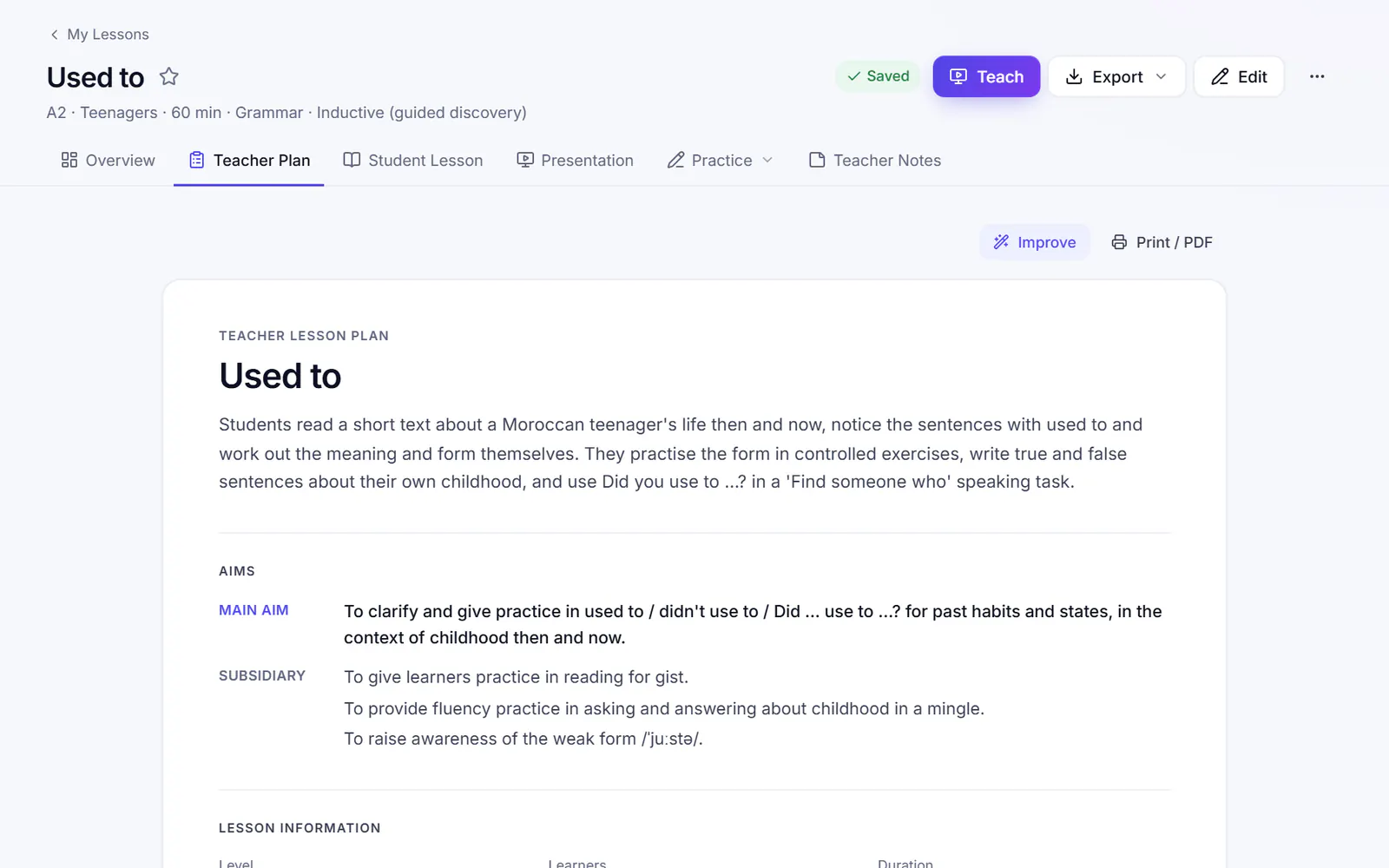
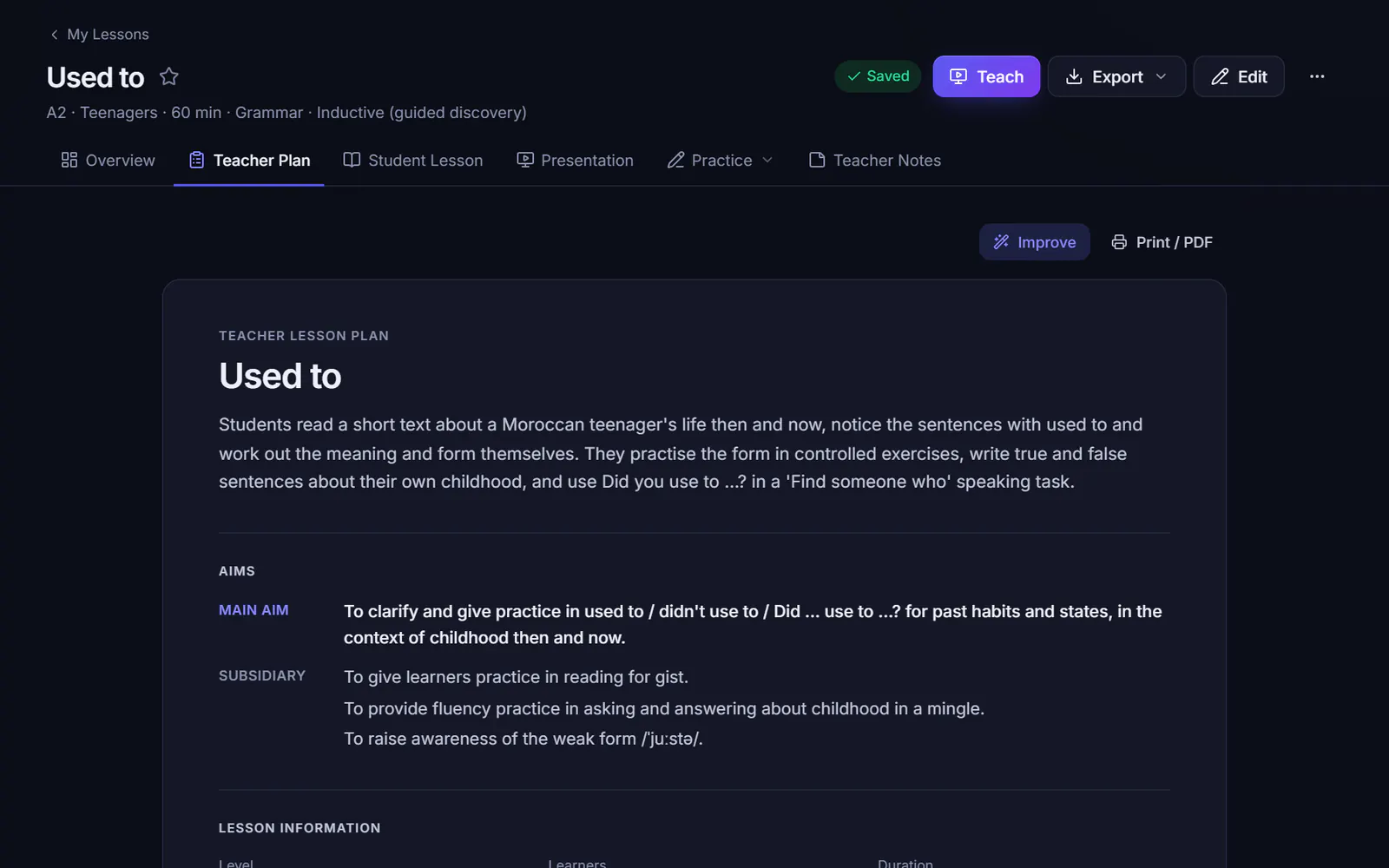
Aims, a staged procedure with timings, CCQs, ICQs and anticipated problems, ready to print or export to Word.
Why not just ask a chatbot?
General AI chatbots can write a lesson plan too. GetLessonWise is built for the whole job of preparing a lesson.
| — | General AI chatbot | GetLessonWise |
|---|---|---|
| Starting point | General AI chatbot: A prompt you write and rewrite | GetLessonWise: Your page, file or text, plus a short form |
| Your material | General AI chatbot: Used only if you paste it in and ask | GetLessonWise: Read, shown to you to check, exercises kept |
| Lesson structure | General AI chatbot: Changes from one answer to the next | GetLessonWise: Staged plan with timings that add up to your lesson length |
| Matching materials | General AI chatbot: Each one asked for separately | GetLessonWise: Worksheet, key, quiz and slides made from the same lesson |
| Checks | General AI chatbot: None unless you ask | GetLessonWise: Automatic checks on timing, aims, answer keys and level |
| Afterwards | General AI chatbot: Copy and paste into documents | GetLessonWise: Saved in your library, editable, with version history |
| Export | General AI chatbot: Formatting is up to you | GetLessonWise: Word, PDF and PowerPoint, ready to print |
GetLessonWise also uses AI models. The difference is the teaching workflow and the checks built around them.
Simple pricing for busy teachers.
Pay once, use whenever you need. Credits never expire.
Pro
For a full teaching month
25 lesson credits
$0.60 per Fast lesson
Save 4% vs Starter
School
For busy teachers and small schools
60 lesson credits
$0.58 per Fast lesson
Save 6% vs Starter
What you get
- 1 credit = 1 complete lesson (High Quality uses 2)
- Worksheets, quizzes and slides for that lesson: no extra credit
- Reading your pages and files: no extra credit
- No subscription: nothing to cancel, and credits never expire
Fair use: up to 60 extra materials and edits a day.
Secure payment with PayPal or card. Unused credits refundable within 14 days.
Reviews
What teachers say
Real reviews from teachers who use GetLessonWise.
The site is impressive. All one has to do is to provide it with the 'WHAT' to teach and the app makes sure to provide the teacher of the 'HOW'. That is really a time-saver. I am going to keep it as my companion and counsellor in my future lesson plans.
Abdelhaq M. Amazing website that saves time and energy. You ask it and it prepares every thing for. A life saver
Abdelkrim A.Celta Teacher I tried Lessonwise for a one-to-one Business English lesson and appreciated having a lesson plan, student materials, a worksheet and a quiz available in one place. It provided a useful structure and practical ideas I could adapt to my student’s needs. A helpful resource for teachers looking for inspiration and support with lesson preparation. Looking forward to seeing how the platform develops!
El Mehdi BenlefkiESL & Business English Teacher — Tangier, Morocco
Tools for your classroom
Make a worksheet, a quiz or an adapted lesson plan in about a minute. Included with any credit pack. A classroom timer, a name wheel, a random student picker and a group maker. Free, no sign-up.
Questions teachers ask
How good are the lessons?
Before you see a lesson, automatic checks look at its timings, aims, answer keys, level and whether the plan and the student materials match. Problems are fixed automatically where possible. Treat the result as a strong first draft: read it before you teach and change anything you like.
Does GetLessonWise use AI? What are its limits?
Yes. Lessons are written with AI models, with automatic checks and your review on top. AI can still get things wrong, such as a fact, an answer or the level of a word, so always check a lesson before class, especially the answer keys. You can edit every part.
Which files can I bring?
Photos of textbook pages or worksheets (JPG, PNG, WebP or HEIC, up to 8 pages), a PDF (up to 8 pages), a Word file (.docx), a text file, or pasted text. When a word on a photo can’t be read with certainty, we mark it for you to check instead of guessing.
What happens to my material?
Your photos and files are read to build the lesson and are not stored. The text you confirm is saved with that lesson in your private library. To read and write lessons, the text is sent to our AI providers (named in our Privacy Policy). Please don’t include students’ personal data.
What is a lesson credit?
One credit creates one complete lesson: the teacher plan and the student lesson (High Quality lessons use 2 credits). Edits, exports and the first worksheet, quiz and slides for that lesson are included; making one of them again uses 1 credit.
Is there a subscription to cancel?
No. You buy a credit pack once and use it whenever you like. Credits never expire, so there is nothing to cancel. Unused credits can be refunded within 14 days of purchase.
What if creating a lesson fails?
The credit is refunded automatically.
Which payment methods do you accept?
PayPal and debit or credit cards, processed securely by PayPal. We never see your card details.
Who owns the lessons I create?
You do. You can use, edit, print and share them with your students.
Follow GetLessonWise
Lesson ideas, classroom tips and news, straight to your feed.
Bring tomorrow’s page. Leave with the lesson.
Start with eight complete example lessons in your library, then choose a credit pack when you're ready.
Get startedFree lesson ideas every week
A ready-to-teach ESL lesson idea, a warmer and a classroom tip in your inbox each week. Free, and you can unsubscribe in one click.